1. Server & Database
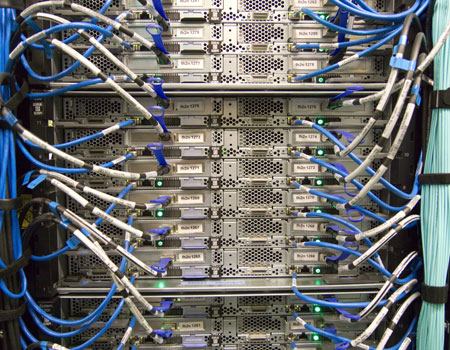
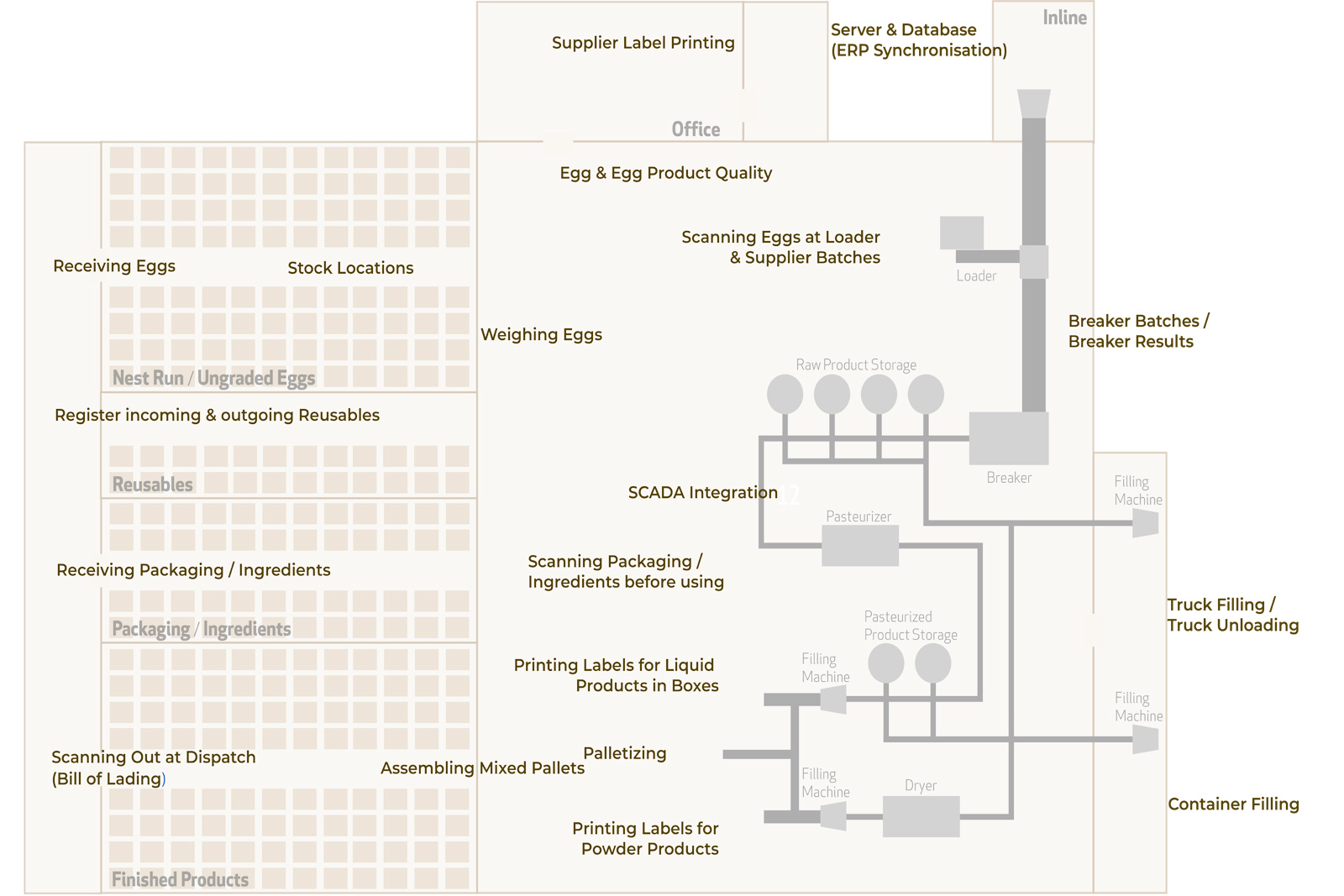
Ovotrack uses a SQL Server database. This database is the heart of the Ovotrack system and is usually installed on the company server. In this Ovotrack database all data is stored. Furthermore, data synchronization with external software applications, like ERP systems, is done.
The communication with the breaker can also be set up here, as long as the breaking machine is capable of that. Communication is possible with all Sanovo OptiBreaker breaking machines.
2. Supplier Label Printing
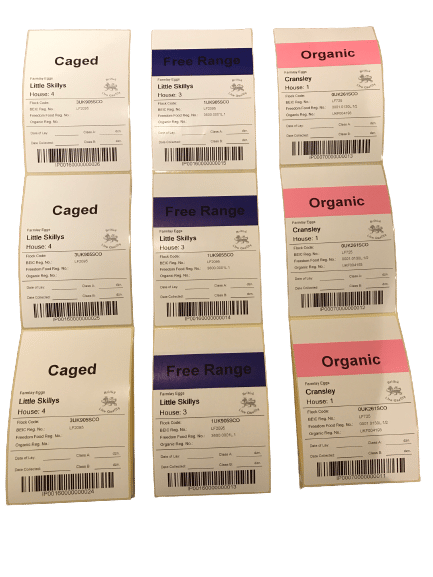
Pre-printed labels can be generated for each egg supplier. These labels are typically provided to drivers collecting eggs at the supplier’s location.
Each label contains pre-registered information such as supplier name, address, egg type, and batch details. In addition, every label includes a unique ID, displayed both as text and as a barcode.
The supplier applies one label to each pallet of eggs and can add relevant information such as the quantity of eggs and the date of lay. This ensures accurate identification and traceability from the start of the process.
3. Receiving Eggs
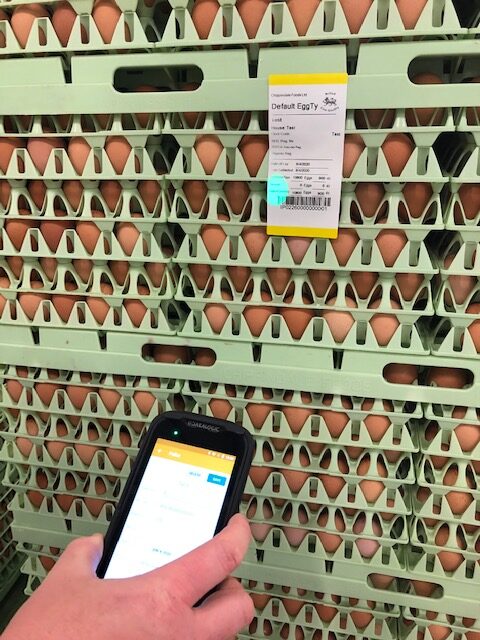
When trucks with ungraded eggs arrive at the packing center, the farm label barcodes are scanned. Scanning the first label automatically creates an Egg Purchase Order for the relevant farm and house. All delivery information shown on the labels and delivery documents, such as the date of lay and number of cracks, is captured in the Ovotrack Database, and the stock position of ungraded eggs is updated in real time.
If no label is available, for example when eggs are supplied by a non-contracted farmer, a new label can be printed directly within Ovotrack.
Optionally, a weighing scale can be connected to Ovotrack to automatically record and store the weight of each pallet. When using ECS® pallets, pallets can also be registered by reading the integrated RFID chips.
4. Stock Locations
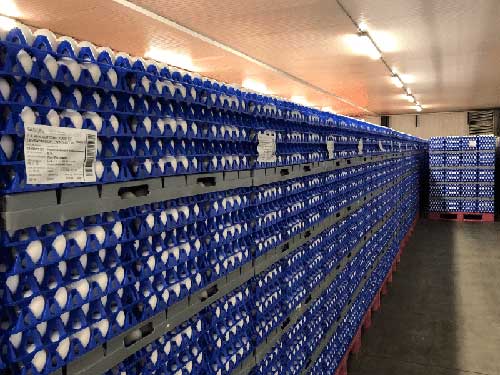 Ovotrack Stock Locations provides real-time visibility of inventory across your processing facility.
Within the module, multiple stock locations can be configured, including areas, sections, and rows. All uniquely identified materials in Ovotrack, such as ungraded eggs, packaging materials, reusables, and finished goods, can be assigned to a specific location by scanning the item label and the destination.
This ensures accurate location-based inventory control and provides a clear, real-time overview of stock per position throughout the grading operation.
5. Weiging Eggs
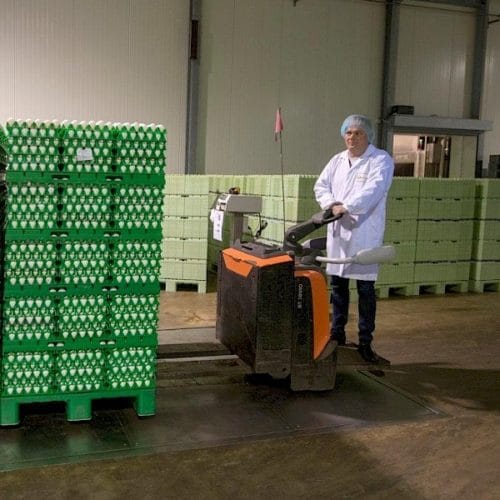
Ovotrack Receive can be connected to a weighing scale to automatically capture the weight of each pallet. The recorded weight is stored directly in the Ovotrack database, ensuring accurate and reliable registration.
Ovotrack supports communication with modern weighing scales that are capable of exporting weight data.
6. Scanning Eggs at Loader & Supplier Batches
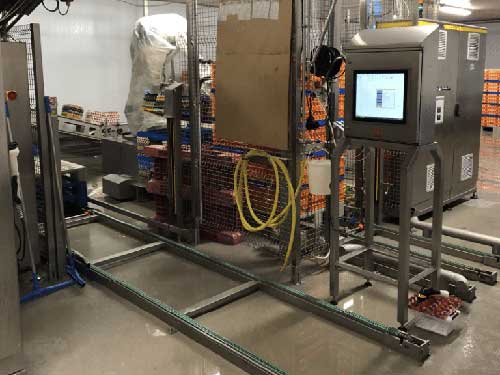
At the breaker loader, pallet labels of incoming eggs are scanned using an Ovotrack wireless scanner. With each scan, egg inventory is updated in real time, ensuring accurate stock control.
When the breaking machine supports system integration, Ovotrack can exchange batch information and automatically capture breaking results through the Ovotrack Breaker Batches module. This ensures accurate batch registration and full traceability throughout the breaking process.
7. Breaker Batches / Breaker Results
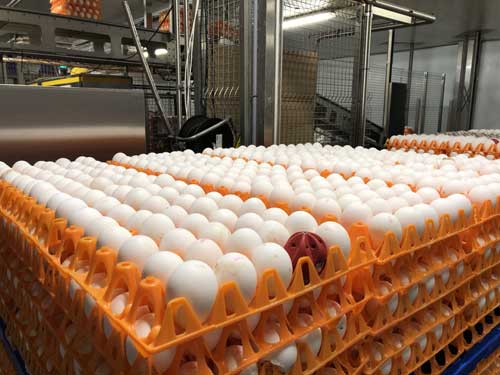
When the breaking machine supports system integration, an Ovotrack Loader PC is installed at the loader to enable direct communication. After the pallet label is scanned, relevant information such as supplier name, egg quantity, and date of lay is automatically sent to the breaker, where a new production batch is created.
At the end of the batch, the breaking machine returns production data to Ovotrack, including quantities of whole eggs and empty cups.
The exact moment of batch change is triggered using an RFID egg, ensuring precise batch registration. Thanks to this automated batch change, the loader does not need to run empty to determine accurate breaking results, preventing unnecessary production loss.
8. Egg & Egg Product Quality
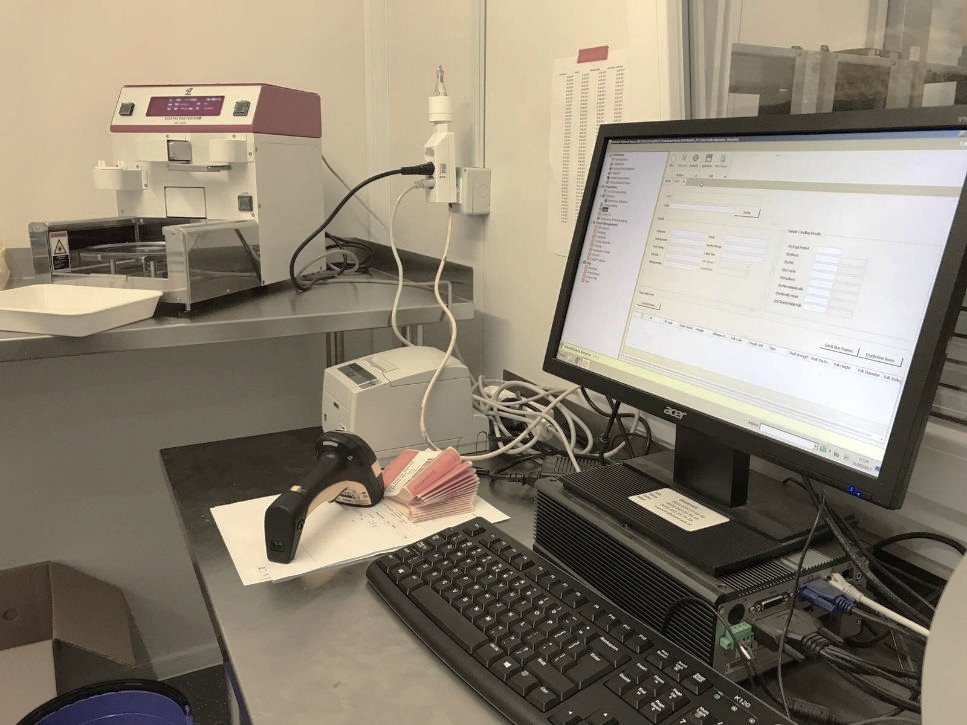
At egg processing facilities, incoming eggs are routinely tested for parameters such as Haugh units, yolk color, and shell strength. With Ovotrack Egg and Egg Product Quality, test results are automatically captured and stored in the Ovotrack database.
During receiving, an additional label is printed for the sample to be tested and sent to the laboratory. The module runs on an existing laboratory PC. Before testing, the sample label barcode is scanned using an Ovotrack wireless scanner. After completion of the test, the results are imported into Ovotrack and stored under the original pallet ID.
All quality data is centrally available for reporting, analysis, and quality control purposes.
9. Register incoming &outgoing Reusables
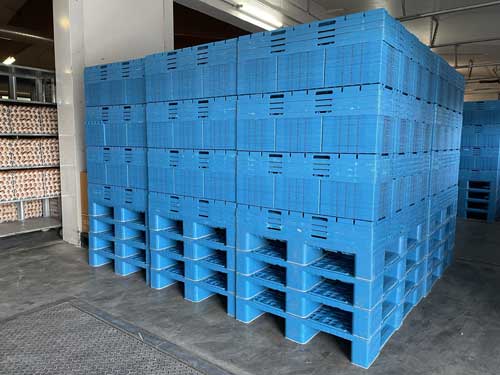
Reusable transport materials such as plastic pallets, trays, dividers, crates, and pallecons are widely used in the egg industry. While these reusables are sustainable, they represent a significant investment and require accurate registration and tracking.
Ovotrack Reusables automates the registration and management of reusable materials. The module registers incoming and outgoing reusables, provides real-time insight into their location, and indicates when farms need to be restocked.
With real-time visibility, Ovotrack Reusables supports accurate planning and logistics. It also provides insight into the hygienic status of reusables and offers an overview of damaged materials.
Reusables can be registered both online and offline, at the production center or at the farm, by scanning with a pocket PC.
Ovotrack Reusables is fully integrated into the Ovotrack platform but can also be used as a standalone solution.
10. Receiving Packaging / Ingredients
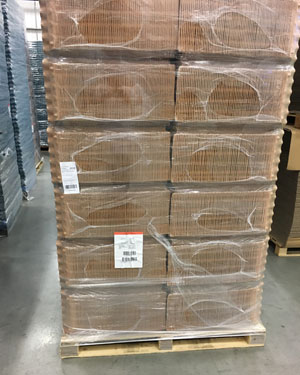 Within egg processing operations, not only eggs but also packaging materials and ingredients such as additives must be accurately registered and traceable. Upon receipt, a label can be printed for each pallet or batch. When materials are issued to the breaking or processing area, the label is scanned to ensure full batch traceability throughout production.
Supplier batch and traceability codes can be stored in the Ovotrack database, making accurate information readily available in the event of a recall.
Ovotrack also provides real-time stock control of packaging materials and ingredients. By monitoring current stock levels and usage in production, the system supports reliable planning and timely replenishment, helping to prevent interruptions in the processing workflow.
11. Scanning Packaging / Ingredients before using
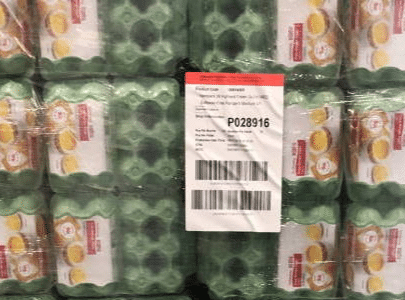 Within egg processing operations, not only eggs but also packaging materials and ingredients such as additives must be accurately registered and traceable. Upon receipt, a label can be printed for each pallet or batch. When materials are issued to the breaking or processing area, the label is scanned to ensure full batch traceability throughout production.
Supplier batch and traceability codes can be stored in the Ovotrack database, making accurate information readily available in the event of a recall.
Ovotrack also provides real-time stock control of packaging materials and ingredients. By monitoring current stock levels and usage in production, the system supports reliable planning and timely replenishment, helping to prevent interruptions in the processing workflow.
12. SCADA Integration
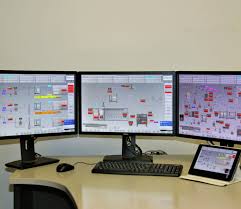
The Ovotrack SCADA Integration module enables full integration between Ovotrack and the Sanovo SCADA system, ensuring seamless data exchange while operators continue working within the familiar Sanovo interface.
Ovotrack supports automatic batch generation for breakers, tanks, processing lines, and pasteurizers. Batches can be activated automatically or selected manually within SCADA, while Ovotrack manages batch control in the background.
Key production events, including CIP cleaning, batch start and stop, and product transfers, are captured in real time and synchronized with Ovotrack. Batch status is updated automatically, including quality adjustments when required. The integration covers the complete processing flow, from raw product intake and mixing to pasteurization and final filling into tankers, containers, or spray dryers. Production remains fully order-based, ensuring complete traceability throughout the process.
13. Printing labels for Liquid Products in Boxes
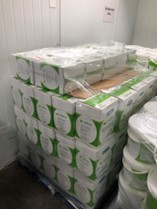
At the filling positions, a stainless steel Ovotrack End of Lane touch screen PC is installed. Operators select the relevant production order via touchscreen or scanner, automatically activating the correct label layout.
For each filled box, a label is printed with all required product information, net weight, and a unique ID in text and barcode.
At the entrance to the finished goods cooler, a wireless scanner and label printer generate pallet labels by scanning one of the case IDs. Inventory is updated automatically with each pallet, and production progress is monitored in real time.
14. Printing Labels for Powder Products
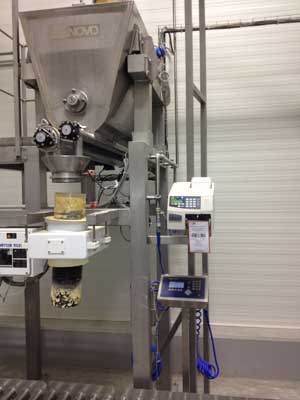
At the filling positions, a stainless steel Ovotrack End of Lane touch screen PC is installed. Operators select the appropriate production order via touchscreen or scanner, automatically activating the correct label layout.
For each filled product, a label is printed with all required product information, net weight, and a unique ID in text and barcode.
At the transition to the finished goods cooler, a wireless scanner and label printer generate pallet labels by scanning one of the case IDs. Inventory is updated automatically with each pallet, and production progress is tracked in real time.
15. Palletizing
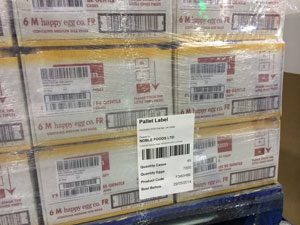 Using wireless scanners in the dispatch department, pallet labels can be created at any stage of the process. During palletizing, order preparation, or loading, all product IDs on a pallet are scanned and linked to a pallet label with a unique PAL number.
Pallet labels can also be generated automatically by palletizers and applied either manually or automatically using the Print & Apply module.
16. Truck Filling / Truck Unloading
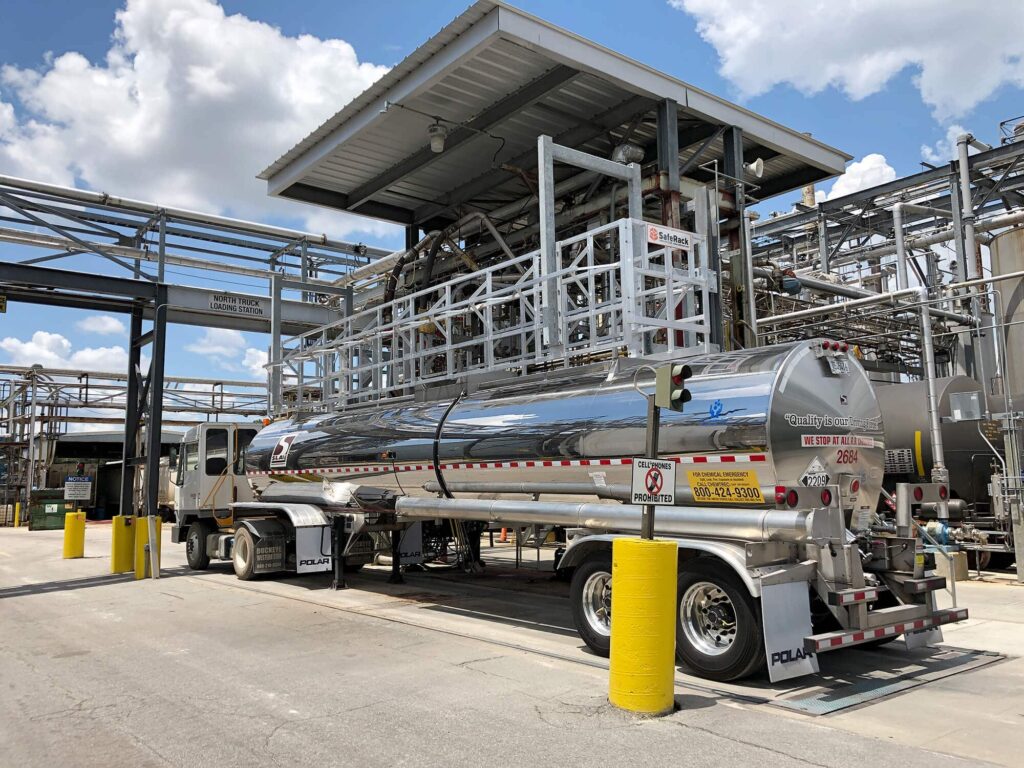
Ovotrack provides a traceable and efficient solution for filling trucks and containers using a dedicated End of Lane system designed for industrial environments.
At each filling station, a stainless steel Ovotrack touchscreen PC is installed for reliable operation under production conditions. Operators select the relevant production order via keyboard or scanner. For truck filling, the license plate number is registered; for container filling, a container ID can be entered when available.
When integrated with a SCADA system, the correct production batch is assigned automatically, ensuring accurate tracking and full traceability to the final destination.
17. Container Filling
Ovotrack provides a traceable and efficient solution for filling trucks and containers using a dedicated End of Lane system designed for industrial environments.
At each filling station, a stainless steel Ovotrack touchscreen PC is installed for reliable operation under production conditions. Operators select the relevant production order via keyboard or scanner. For truck filling, the license plate number is registered; for container filling, a container ID can be entered when available.
When integrated with a SCADA system, the correct production batch is assigned automatically, ensuring accurate tracking and full traceability to the final destination.
18. Assembling Mixed Pallets
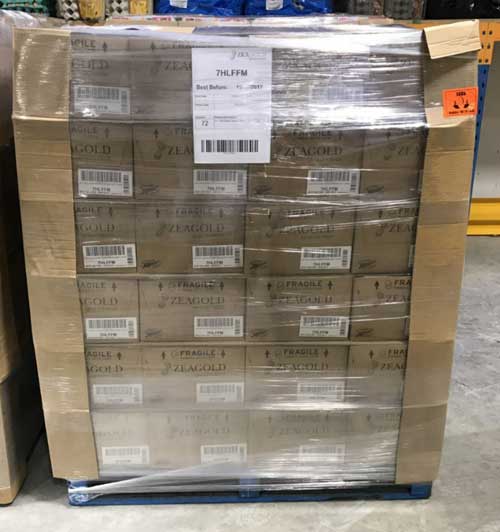
Using wireless scanners in the dispatch department, pallet labels can be created at any stage of the process. During palletizing, shipment preparation, or loading, all product IDs on a pallet are scanned and linked to a pallet label with a unique PAL number. Pallet labels can also be generated automatically by palletizers and applied manually or automatically.
When building mixed pallets, each case label is scanned. Once completed, a pallet label is created that groups all cases under one unique ID, ensuring full traceability.
19. Scanning Out of Dispatch (Bill of Lading)
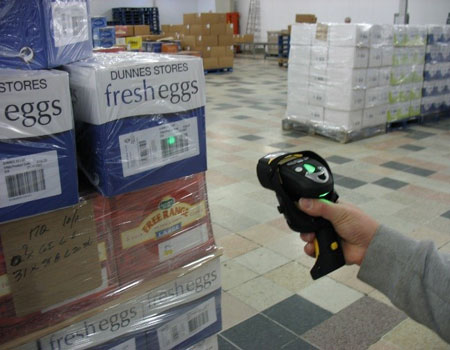
To ensure complete traceability, finished products prepared for stock must be linked to sales orders in the dispatch department before shipment. An Ovotrack PC with one or more wireless scanners can be installed in dispatch, along with a label printer for reprinting labels when required.
The barcode on the pick list is scanned first, followed by the barcodes of finished products or full pallets. The system verifies that the correct products are selected and checks the best-before or sell-by date.
Once products are linked to the sales order, delivery documents such as a delivery note or bill of lading can be generated, and shipment data can be transferred to the ERP system for invoicing.
 Truck Weights
Connection of truck scale to Ovotrack and distribute weight over all pallets in the truck.
 Print & Apply
Automatic labeling of finished goods with help of Print & Apply printers.
 Warnings at Receive
Automatic warning generator for specific quality checks at the Receive Department.
 SSCC Pallet Label
Generating and printing the correct pallet label with SSCC barcode, which
is connected to the sales order.
 Weighing Scale Connection
Automatic warning generator for specific quality checks at the Receive Department.
 Stand-Alone Palletizing
Generating and printing pallet labels without connection to case labels.
 Internal Transfer Orders
Traceable registration and movement of eggs and egg products between internal locations.
 Label Data Updater
Update and/or split your printed labels when needed.
 Ingredient Batches
Create batches of ingredients like salt, sugar or critic acid and connect
to a breaker batch.
 Task Scheduler
Automatically generate, e-mail, print and/or save your reports on a set moment on the day or week.
 Product Tracking
Full control of the egg flow in each stage of the process, from the
moment of breaking eggs until filling the finished goods.
 Custom Data Connector
Connect data to all fixed barcodes in your process and use for any purpose.
 Packaging Quality Registration
Register damaged packaging to make your supplier accountable for it.