
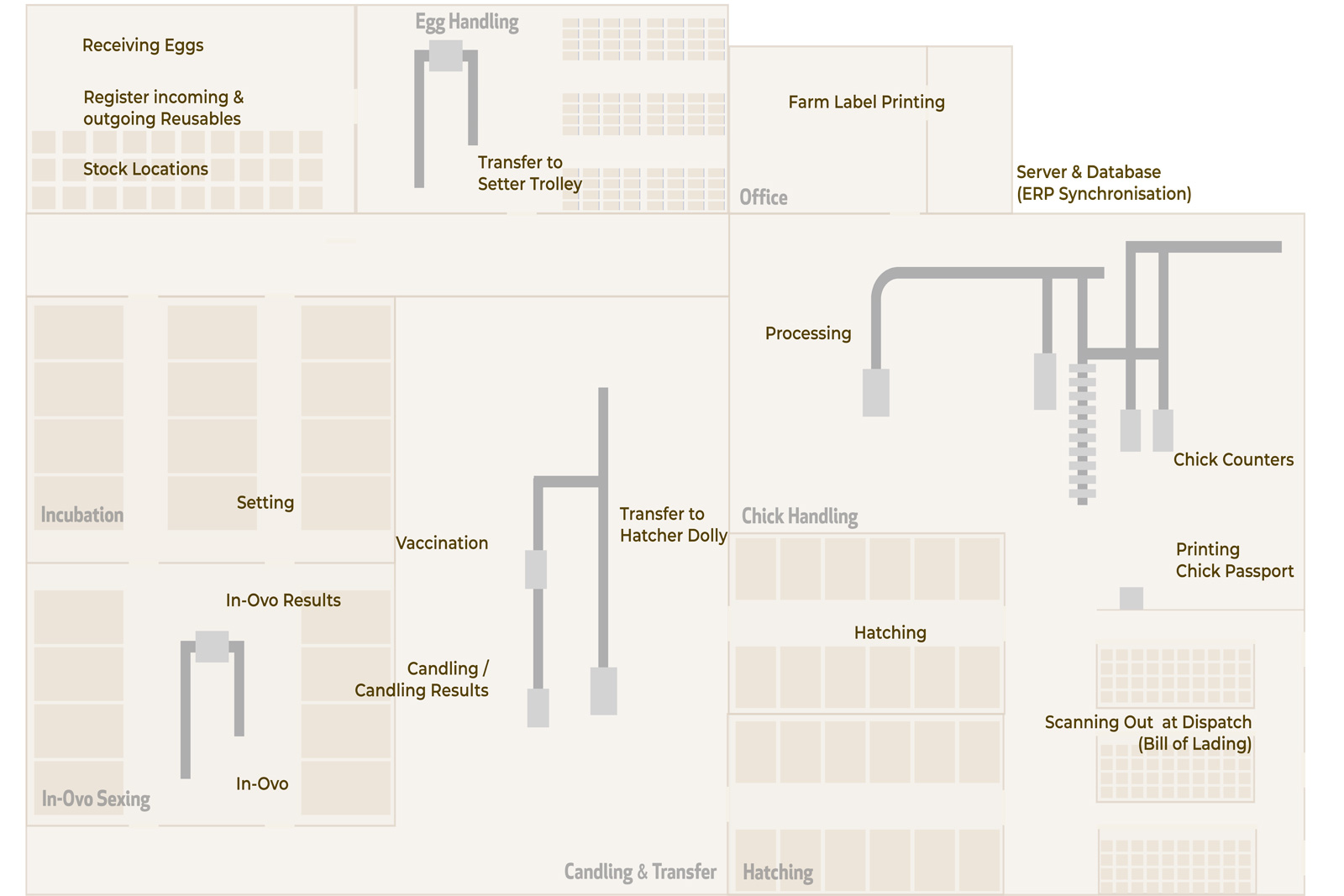
1 Server & Database
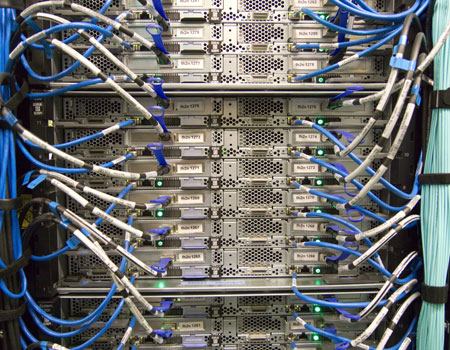
Ovotrack uses a SQL Server database as the core of the system. The database is installed on the company server and functions as the central hub where all hatchery data is stored and managed.
Ovotrack is installed on existing office computers, allowing users to enter and maintain master data and access hatchery reports. Base data such as suppliers or farmers, sheds, flocks, customers, and orders can be managed directly within Ovotrack.
If required, synchronization with an ERP system can be developed to automatically populate and update the Ovotrack database with relevant master data. This ensures consistent information across systems and supports seamless integration between hatchery operations and business administration.
2. Farm Label Printing
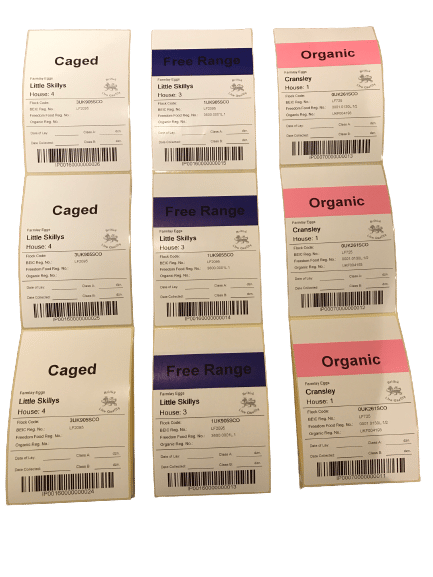
Labels can be generated for each farm, house, and flock supplying hatching eggs. These labels are typically provided to drivers collecting the eggs.
Each label contains pre-registered information such as farm name, address, and flock registration number. In addition, every label includes a unique ID, displayed both as text and as a barcode.
The farmer applies one label to each pallet of eggs and can add details such as the date of lay and the egg quantity, ensuring accurate identification and traceability from the start of the hatchery process.
3. Receiving Eggs
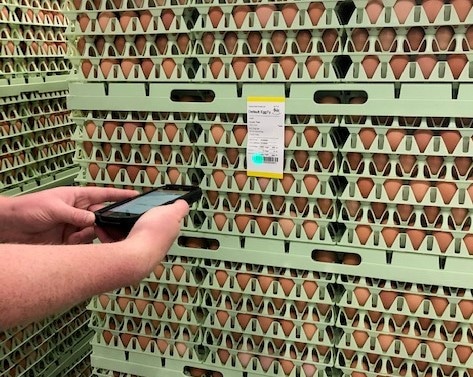
When trucks with hatching eggs arrive at the hatchery, farm barcode labels are scanned during unloading. Scanning the first label automatically creates an Egg Purchase Order for the corresponding farm and house. Delivery information, such as date of lay and number of cracks, is recorded in the Ovotrack database, and hatching egg inventory is updated in real time.
If no label is available, for example when eggs are supplied by a non-contracted farmer, a new label can be printed directly in Ovotrack.
4. Register incoming & outgoing Reusables
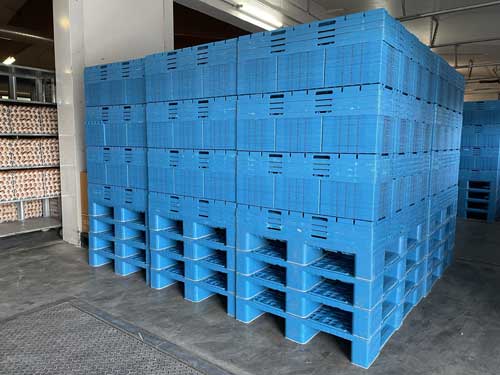 Reusable transport materials such as baskets, trays, trolleys, and other equipment are essential within hatchery operations. As valuable assets that move continuously between farms and hatcheries, they require accurate registration and tracking.
Ovotrack Reusables automates the registration and management of these materials. The module records incoming and outgoing reusables, provides real-time visibility of their location, and supports timely return and redistribution. With real-time insight, Ovotrack Reusables improves planning and logistics within the hatchery process. It also offers visibility into the hygienic status of materials and provides an overview of damaged equipment.
Reusables can be registered both online and offline, at the hatchery or at the farm, using a handheld scanner. Ovotrack Reusables is fully integrated into the Ovotrack platform but can also be used as a standalone solution.
5. Stock locations
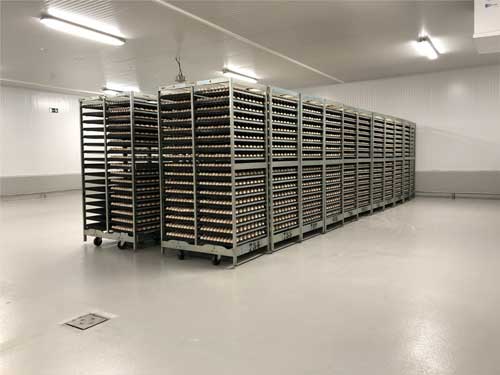 Ovotrack Stock Locations enables real-time registration and tracking of hatching eggs, setter trolleys, hatcher dollies, and chick trolleys across different areas within the hatchery.
Multiple stock locations, such as disinfection, SPIDES, egg storage, and chick storage rooms, can be configured in the system. By scanning location barcodes with a wireless scanner, products are assigned to the correct position, ensuring accurate location-based inventory control.
When eggs are sold instead of incubated, they can be scanned out to keep stock levels up to date.
6. Transfer to Setter Trolley
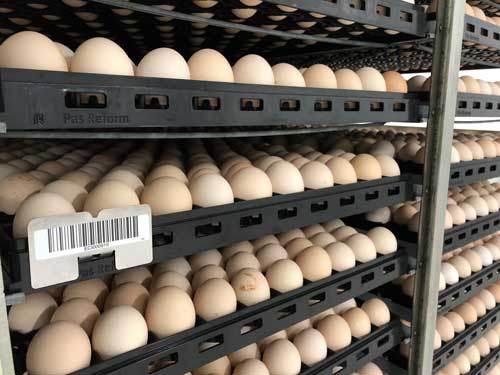 Barcode labels are scanned again when eggs are transferred to setter trolleys, ensuring continued batch traceability. The patented Eggs Cargo Identifier (ECI) tag, featuring a unique barcode, is linked to the corresponding batch.
7. Setting
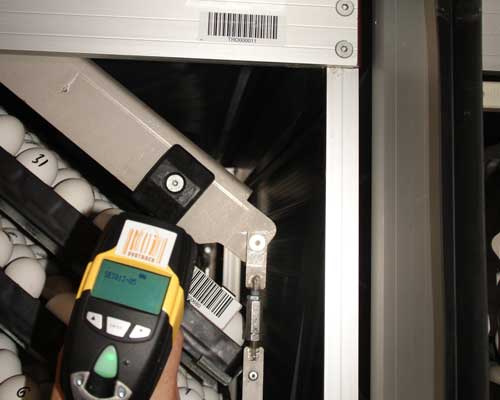 Once all hatching eggs are transferred, individual setter trolleys are connected to specific setters and setter positions or sections during setting positions or sections during setting.
8. In-Ovo
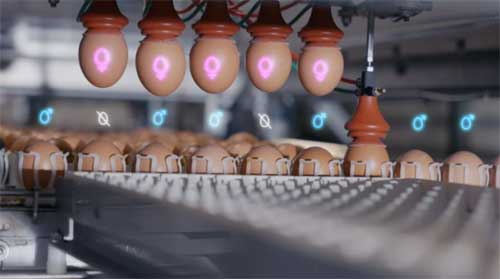 Ovotrack In-Ovo ensures accurate batch registration and inventory control throughout the in-ovo sexing process.
By linking input and output automatically to the correct batch, full traceability is maintained and stock levels are updated in real time. The module provides clear insight into in-ovo results per batch, supporting performance analysis and reliable hatchery planning.
9. In-Ovo Results
Ovotrack In-Ovo ensures accurate batch registration and inventory control throughout the in-ovo sexing process.
By linking input and output automatically to the correct batch, full traceability is maintained and stock levels are updated in real time. The module provides clear insight into in-ovo results per batch, supporting performance analysis and reliable hatchery planning.
10. Candling
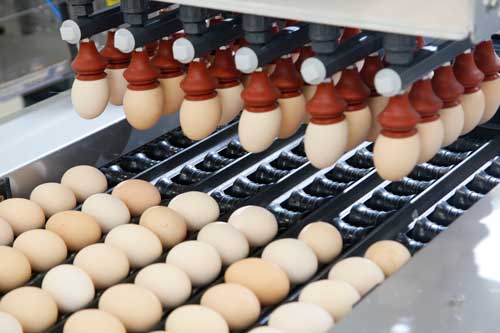 In the candling room, a wireless scanner is available to scan batches to be candled. Batch information can automatically be sent to candling machines by scanning an Eggs Cargo Identifier (ECI) at the trolley unloader. When the next batch is scanned, candling results are fed back into Ovotrack.
If a vaccination machine is available, vaccination details can also be added to the specific batch.
Ovotrack can send all batch specific candling and vaccination results to your existing ERP systems.
11. Vaccination
Ovotrack enables vaccination batches to be linked directly to hatching batches, ensuring complete traceability throughout the hatchery process.
Before a vaccination batch is used, its batch code is scanned with a wireless scanner to activate it within Ovotrack. At the entrance of the vaccination machine, a fixed scanner reads the barcode of the ECI tag on the first setter tray of the batch. Once scanned, the active vaccination batch is automatically connected to the corresponding hatching batch.
Ovotrack provides full insight into vaccination usage, losses, and traceability. In addition, real-time vaccination inventory levels can be monitored within the system.all batch specific candling and vaccination results to your existing ERP systems.
12. Transfer to Hatcher Dolly
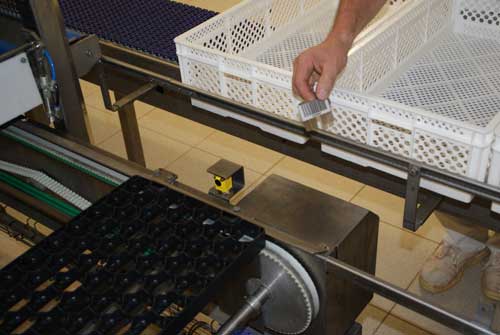 Ovotrack ensures accurate batch traceability when hatching eggs are transferred from setter trays to hatching baskets and dollies.
At the transfer point, the first setter tray of a supplier batch is stopped. The operator removes the ECI tag from the setter tray and attaches it to the first hatching basket, transferring the batch identity to the next production stage. When a new supplier batch starts, the system signals the operator to repeat this process.
Hatching baskets are stacked onto dollies, and the ECI tag is linked to the first basket that will be de-stacked in the chick processing room. If one setter trolley is divided over multiple dollies, additional ECI tags can be assigned and digitally linked to the original batch tag, maintaining full batch integrity.
Finally, the ECI tag on each dolly is connected to the dolly by scanning it with a handheld scanner, ensuring complete traceability throughout the hatchery process.
13. Hatching
 Ovotrack provides real-time registration of hatcher dollies and their exact position within the incubator.
Using a wireless scanner, both the hatcher dolly and the specific hatcher position are scanned when the dolly is placed in the incubator. Each incubator position is identified by a unique data matrix code. By scanning the position code and the dolly barcode, Ovotrack records which batch is located in which hatcher and at which position.
If dollies are moved to another hatcher, the new location is scanned and updated automatically. All movements are registered, ensuring full traceability and accurate hatchery management.
14. Processing
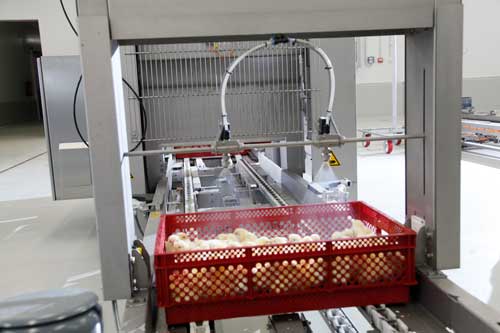 In the chick room, a wireless scanner and a Ovotrack PC with label printer are available.
The Eggs Cargo Identifiers (ECI) of the dollies are scanned before processing. Batch information can be sent to a processing machine for vaccination or counting. Results per batch are fed back into Ovotrack.
15. Chick Counters
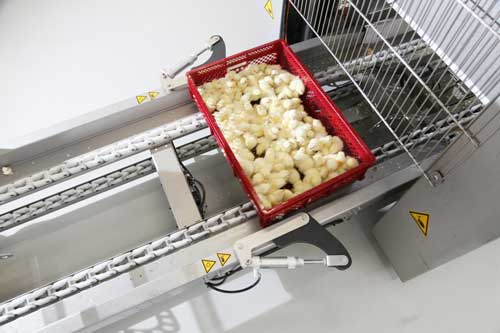 In the chick processing and dispatch area, an industrial Ovotrack touchscreen Panel PC (hygienic design) is installed together with a wireless scanner. The system is connected directly to the counting machine.
Before entering the counting machine, the first basket of each batch, identified by its ECI tag, is scanned to activate the batch. When a new supplier or batch is scanned, counting data is exported by the machine and automatically imported into Ovotrack based on date and time.
Ovotrack generates detailed reports of chick processing results per dolly and per hatcher position, ensuring accurate performance insight and full traceability.
16. Printing Chick Passport
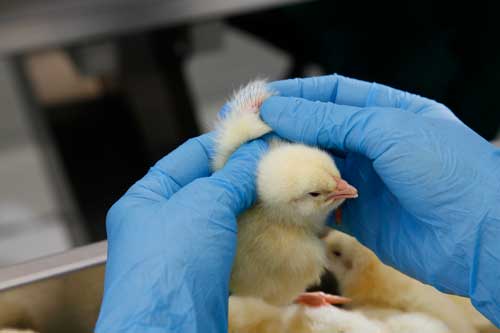 In the chick processing and dispatch area, a wireless scanner, label printer, and laser printer (hygienic design, IP67) are installed to support efficient and accurate labeling.
For each chick trolley, a Chick Passport label can be printed containing key information such as batch number, supplier ID, chick quantity, and a unique barcode. Additional customer-specific information can be included, and multiple label layouts can be defined per chick type or per customer.
Orders can be entered in Ovotrack or synchronized from the ERP system. Once an order is selected, labels are printed and automatically linked to the active processing batch, ensuring full traceability.
After label printing, chick inventory is updated in real time and order status becomes visible to the operator, supporting accurate order preparation and shipment control.
17. Scanning out at Dispatch
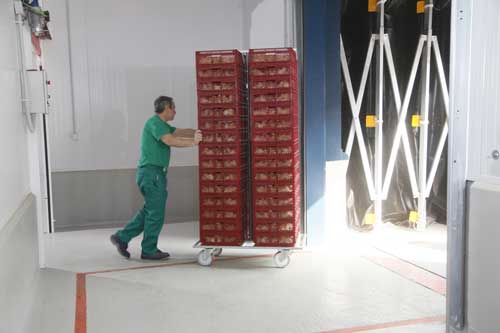 A sales order pick list can be printed using the laser printer in the dispatch area. Before loading chick trolleys onto trucks, the Chick Passport labels are scanned and linked to the corresponding sales order.
Once connected, Ovotrack updates the ERP system with the delivered quantities and relevant shipment data, enabling invoicing. A bill of lading (BOL) can also be generated for the driver.
When trolleys leave the hatchery, chick inventory is updated automatically, ensuring accurate stock control and complete shipment traceability.
 On Farm Scanning
Scanning farm labels at the farm with Android pocket PCs when picking up hatching eggs.
On Farm Scanning
Scanning farm labels at the farm with Android pocket PCs when picking up hatching eggs.  Task Scheduler
Automatically generate, e-mail, print and/or save your reports on a set moment on the day or week.
 Custom Data Connector
Connect data to all fixed barcodes in your process and use for any purpose.